
The Definitive Guide to Network Hardware Architecture: Hubs, Switches, and Routers (2026 Edition)
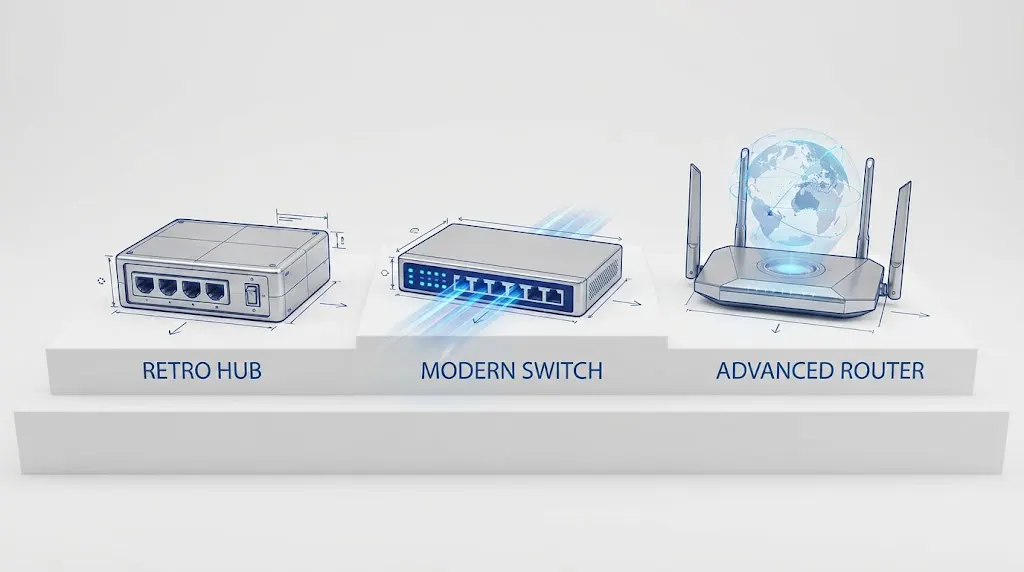
An in-depth technical analysis of OSI Layer dynamics, data forwarding mechanisms, and the modernization of legacy infrastructure in the era of AI and Wi-Fi 7.
1. The Network Hub: A Lesson in Obsolescence
To understand modern efficiency, one must first understand the inefficiencies of the past. The Ethernet Hub represents the earliest generation of multi-port connectivity devices, operating strictly at OSI Layer 1 (The Physical Layer).
The Mechanics of “Bit-Repeating”
A hub is electrically simple. It does not interpret data frames. It acts as a multi-port repeater. When an electrical signal (representing bits) arrives at Port 1, the hub blindly amplifies and regenerates this signal to all other active ports. It does not inspect the destination MAC address.
Why Hubs Are Dangerous in 2026
From a modern engineering perspective, hubs are catastrophic for two reasons:
- The Single Collision Domain: In a hub environment, if Device A transmits data simultaneously with Device B, the voltage signals collide on the shared medium. This triggers CSMA/CD (Carrier Sense Multiple Access with Collision Detection) protocols, forcing a random backoff time. As network traffic increases, efficiency creates a hyperbolic curve toward zero.
- Security Vulnerabilities: Because traffic is broadcasted universally, a malicious actor connected to Port 4 can use a packet sniffer (like Wireshark) to capture unencrypted traffic intended for Port 2. This is a fundamental violation of the “Need-to-Know” security principle.
2. The Network Switch: The ASIC-Driven Workhorse
The Switch is the cornerstone of the Local Area Network (LAN), operating at OSI Layer 2 (Data Link Layer). Unlike the hub, the switch is “frame-aware.”
The Intelligence of the CAM Table
The core logic of a switch relies on Content Addressable Memory (CAM). When a frame enters a port, the switch inspects the Source MAC Address and maps it to that physical port in its MAC Address Table.
When forwarding data, it inspects the Destination MAC Address. If the address is known, the switch creates a dedicated electrical circuit (micro-segmentation) between the source and destination ports. This creates a collision-free environment where full-duplex communication (sending and receiving simultaneously) is possible.
2026 Evolution: Multi-Gigabit and PoE++
Modern enterprise switches have evolved significantly to support the demands of Wi-Fi 7 access points and high-resolution IP cameras:
- mGig (Multi-Gigabit): Traditional 1Gbps ports are being replaced by 2.5Gbps and 5Gbps ports over standard Cat6 cabling to prevent bottlenecks from high-speed wireless APs.
- IEEE 802.3bt (PoE++): Modern switches now deliver up to 90 Watts of power per port, enabling them to power not just phones, but LED lighting systems and thin clients.
3. The Router: The Edge Computer
While the switch builds the road (LAN), the Router acts as the traffic control center connecting different road systems. It operates at OSI Layer 3 (Network Layer) and relies on logic rather than brute-force forwarding.
Routing Tables and Logic
Routers do not care about MAC addresses for forwarding; they care about IP Subnets. A router separates Broadcast Domains. Without a router, a computer in the Engineering VLAN (192.168.10.x) cannot communicate with a server in the Finance VLAN (192.168.20.x).
The Critical Role of NAT (Network Address Translation)
In the context of IPv4 exhaustion, the router performs the vital task of NAT. It masquerades thousands of private internal IP addresses behind a single public IP provided by the ISP. This involves complex tracking of TCP/UDP port numbers (PAT – Port Address Translation) to ensure returning traffic from the internet reaches the correct internal device.
Software-Defined Wide Area Networking (SD-WAN)
In 2026, the traditional router is morphing into an SD-WAN edge device. Instead of simply routing packets based on static tables, modern routers use AI to analyze “Application Quality.”
Example: “Is the Zoom call packet experiencing jitter on the primary fiber line? If yes, route this specific packet stream to the secondary 5G backup link instantly.”
4. Technical Comparison Matrix
The following table provides a rigorous comparison of technical specifications suitable for architectural decision-making.
| Parameter | Ethernet Hub | L2 Switch | Router (Edge Gateway) |
|---|---|---|---|
| OSI Operation | Layer 1 (Physical Bits) | Layer 2 (Data Frames) | Layer 3 (IP Packets) |
| Forwarding Decision | None (Blind Repeat) | ASIC Hardware (MAC Table) | CPU/Software (Routing Table) |
| Bandwidth Mode | Shared (Half-Duplex) | Dedicated (Full-Duplex) | Dedicated (Full-Duplex) |
| Broadcast Domain | One (Total propagation) | One per VLAN | Stops Broadcasts |
| Collision Domain | One (Shared medium) | One per Port | One per Interface |
| Primary Latency | High (due to collisions) | Ultra-Low (Microseconds) | Variable (processing dependent) |
| Security Capability | None | Port Security, ACLs | Firewall, IPS, VPN, DPI |
5. The Gray Area: Layer 3 Switches vs. Routers
A common question in network design is: “If a Layer 3 Switch can route IP packets, why do I need a Router?”
The distinction lies in Optimization and Features:
- Layer 3 Switch: Optimized for speed. It uses specialized hardware (ASICs) to route traffic between VLANs at “wire speed” (e.g., 100 Gbps). However, it usually supports limited WAN interface types and has a smaller routing table capacity.
- Router: Optimized for features. It supports complex tasks that require general-purpose CPU power, such as Deep Packet Inspection (DPI), complex VPN encryption, and advanced Policy-Based Routing (PBR).
6. Conclusion
The convergence of network technologies has not eliminated the need for distinct hardware roles; it has specialized them. In 2026, the humble Hub has vanished, the Switch has become the high-speed spinal cord of the intranet, and the Router has evolved into an intelligent, security-focused brain managing the boundary between the private and public cloud.
For organizations aiming to modernize their infrastructure, selecting the right hardware requires looking beyond the port count. It requires analyzing the throughput needs of AI workloads, the power requirements of IoT devices, and the security posture required at the network edge.

 Whatsapp+8613603031172


